Start with normal PDFs
Blueprint and design PDFs become the intake source for scale, rooms, walls, openings, and fixtures.

Upload a normal blueprint or design PDF, confirm the scale and uncertain geometry, then review a finished-space model on desktop or in a Meta Quest-class WebXR walkthrough.
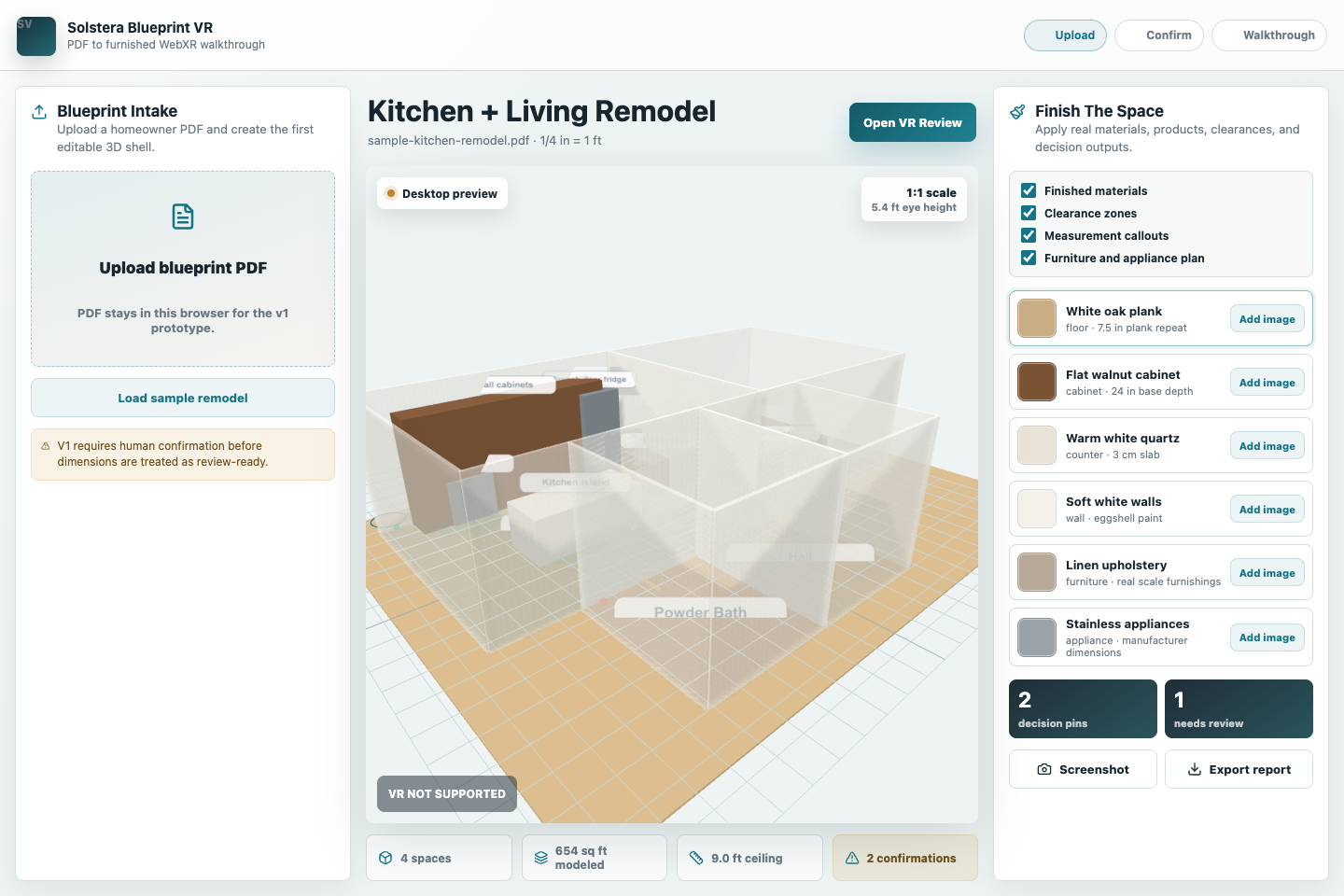
Flat drawings hide the decisions customers care about most: room scale, island clearance, appliance placement, finish combinations, and whether the finished space feels right at human scale.
Blueprint and design PDFs become the intake source for scale, rooms, walls, openings, and fixtures.
Uncertain dimensions stay visible until a person reviews the extraction instead of trusting automation blindly.
The headset review exists to understand finished space in real-world scale, not to decorate a generic 3D viewer.
Blueprint VR is being shaped as a practical conversion and review system: extraction helps, but confirmation and review are the control points.
Keep the source drawing attached to the project and visible through the review process.
Review likely geometry, calibrate dimensions, and correct the model before walkthrough.
Build a room shell with doors, windows, fixtures, clearances, measurements, and finish packages.
Use desktop review for decisions and Quest-class WebXR for human-scale spatial understanding.
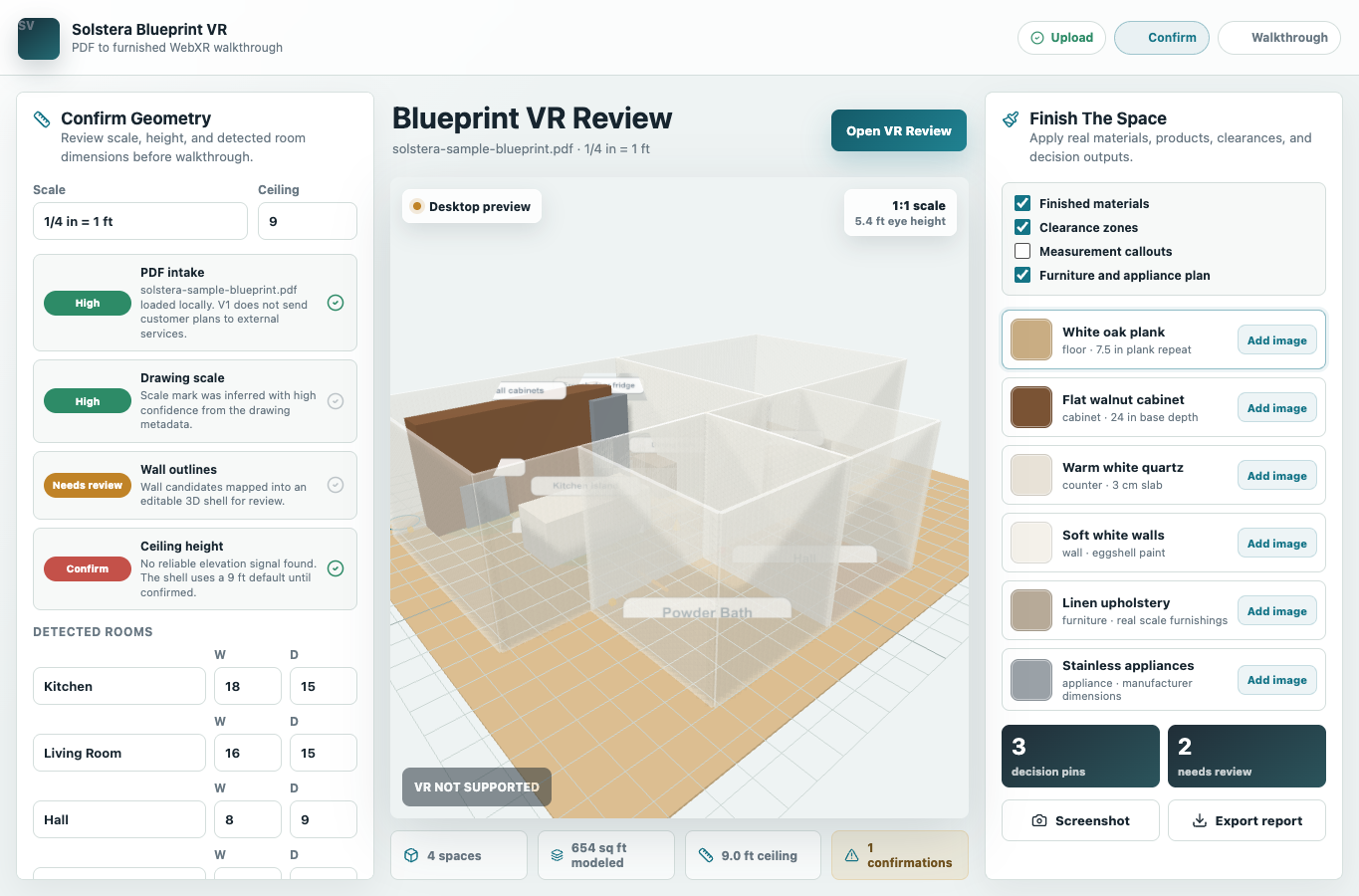
The current product lane supports PDF intake, detected room dimensions, editable review, material and finish choices, measurement callouts, decision pins, screenshot/report export, and WebXR review paths. The first public launch still needs domain, SMTP, production hosting, and Quest hardware validation.
Best fit: remodelers, kitchen and bath operators, custom builders, and design teams that want customers to understand the finished space before construction money is committed.